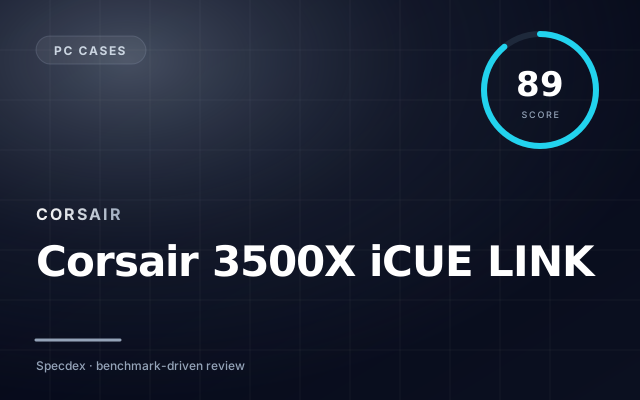
Corsair 3500X iCUE LINK
Mid-tower · Triple-glass · iCUE LINK ready
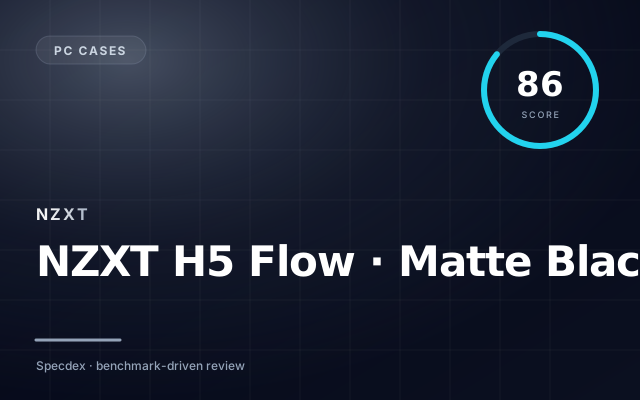
NZXT H5 Flow · Matte Black
Mid-tower
Corsair 3500X iCUE LINK takes it — here’s why.
In our weighted Specdex score, Corsair 3500X iCUE LINK lands at 89 and NZXT H5 Flow · Matte Black at 86. That puts Corsair 3500X iCUE LINK ahead by 3 points — a narrow margin driven mostly by its strengths in the categories below.
Pick Corsair 3500X iCUE LINK if…
- ✓Triple tempered-glass panels
- ✓iCUE LINK pre-wired for fans
- ✓Dual-chamber layout
Pick NZXT H5 Flow · Matte Black if…
- ✓Tool-less panels on most
- ✓Cable-management channels
- ✓Dust filters
Winner by scenario
Derived from the sub-score breakdown · not a separate testBuild
Corsair 3500X iCUE LINKCompared on the build sub-score
Corsair 3500X iCUE LINK leads on build (92 vs 84).
Airflow
Corsair 3500X iCUE LINKCompared on the airflow sub-score
Corsair 3500X iCUE LINK leads on airflow (88 vs 86).
Value for money
NZXT H5 Flow · Matte BlackSpecdex score per dollar at MSRP
NZXT H5 Flow · Matte Black more score per dollar ($94 vs $169).
Score breakdown
Specs side-by-side
| Spec | Corsair 3500X iCUE LINK | NZXT H5 Flow · Matte Black |
|---|---|---|
| Form | Mid-tower ATX | — |
| Dimensions | 485×245×485 mm | — |
| Front panel | Tempered glass + glass top + glass left | — |
| GPU clearance | 410 mm | — |
| Radiator support | 4× 360 mm | — |
| Color | Black, White | — |
| Type | — | Mid-tower |
Corsair 3500X iCUE LINK
- +Triple tempered-glass panels
- +iCUE LINK pre-wired for fans
- +Dual-chamber layout
- −iCUE LINK ecosystem locks you in
- −Premium price for ARGB
- −Heavy
NZXT H5 Flow · Matte Black
- +Tool-less panels on most
- +Cable-management channels
- +Dust filters
- −Fan inclusion varies
- −GPU clearance limits for triple-slot cards
- −Weight on glass panels
FAQ: Corsair 3500X iCUE LINK vs NZXT H5 Flow · Matte Black
Which is better, Corsair 3500X iCUE LINK or NZXT H5 Flow · Matte Black? +
Corsair 3500X iCUE LINK scores 89 on our weighted rubric — ahead by 3. Your best pick depends on the sub-scores above.
Is Corsair 3500X iCUE LINK worth the price? +
At $169, Corsair 3500X iCUE LINK delivers a Specdex score of 89 — strongest in build.
Is NZXT H5 Flow · Matte Black worth the price? +
At $94, NZXT H5 Flow · Matte Black delivers a Specdex score of 86 — strongest in airflow.
Does Corsair 3500X iCUE LINK or NZXT H5 Flow · Matte Black last longer? +
Based on our long-term update and support ratings, both ship with multi-year support. Battery and reliability scores are visible in the breakdown above.
Which is better for build, Corsair 3500X iCUE LINK or NZXT H5 Flow · Matte Black? +
Corsair 3500X iCUE LINK — leads on build (92 vs 84). Compared on the build sub-score.
Which is better for airflow, Corsair 3500X iCUE LINK or NZXT H5 Flow · Matte Black? +
Corsair 3500X iCUE LINK — leads on airflow (88 vs 86). Compared on the airflow sub-score.